
FREE ADBLOCKER BROWSER
Adblock – Rocketshield Browser Technology LimitedCommunication
4.538.15K Reviews
- Version
- Varies With Device
- Installs
- 50.00M
- Age Rating
- Everyone
Screenshots




Our Review of FREE ADBLOCKER BROWSER
 Analysis by Appyee
Have you ever found yourself scrolling through a website on your phone, only to be bombarded with annoying ads? Yeah, me too. That's why I decided to give the Free Adblocker Browser: Adblock a try, and honestly, it feels like a breath of fresh air. Let me take you through my experience with this app, which promises to make your browsing ad-free and much more enjoyable.
What an ad-blocking browser can—and cannot—promise
It helps to think of this as a browser choice, not a magic switch for the whole phone. The ad filtering applies while you browse inside the app; it is not a replacement for a system-wide content blocker in every other app. That distinction matters if you expect the same result in social feeds, games, or links opened by another browser.
For me, the value is most obvious on ad-heavy pages where banners and pop-ups crowd a small screen. A practical test is to open the same kind of page you regularly visit and see whether the reading experience improves. Some sites depend on advertising to support their content, and filtering may change how a page behaves, so I would keep a second browser available for the occasional site that refuses to work normally.
Getting Started with Free Adblocker Browser
First things first, downloading the Free Adblocker Browser: Adblock was a breeze. It’s available on both Android and iOS, so no worries there. Once installed, the setup was pretty straightforward. You don’t need to jump through any hoops or configure complex settings. Just open the app, and you’re good to go.
The interface is clean and intuitive, which is something I always appreciate. I mean, who wants to deal with a cluttered browser, right? The home screen provides easy access to your favorite sites, and the menu is neatly organized, making navigation super simple.
Who benefits most from keeping it installed
I can see this working well for someone who mainly reads articles, checks reference pages, or browses shopping sites on a phone and wants fewer interruptions without learning a complicated setup. It also suits people who prefer a dedicated browser for casual web searches rather than changing settings across their entire device.
A realistic use is a commute: I might open a few news stories on a limited or unreliable connection, read the text, and avoid repeated interruptions from prominent page ads. The built-in data-saving mode may be useful in that situation, though I would not assume every page will load faster or use less data; image-heavy pages and a weak connection can still affect the experience.
By contrast, I would hesitate to make it my only browser if my daily work depends on specialized extensions, tightly integrated account syncing, or a consistent setup across several devices. The app’s simpler approach is part of its appeal, but it can be a trade-off for people who have built a workflow around another browser.
Main Features Worth Highlighting
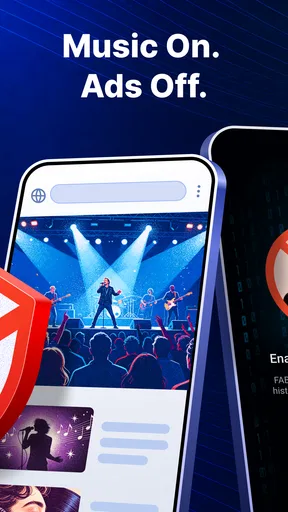
Now, let’s talk about what makes this app stand out. The primary feature, of course, is its ad-blocking capability. It’s like having a personal guard that stops those pesky ads from invading your screen. During my time using it, I noticed a significant reduction in ads, especially those annoying pop-ups and banners that usually slow down my browsing experience.
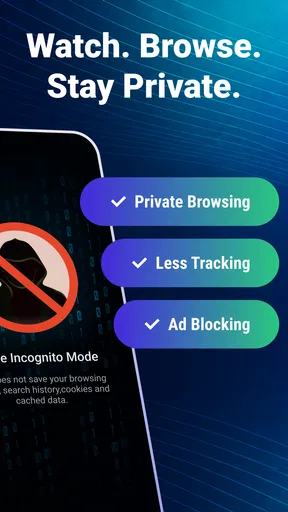
Another cool feature is the built-in privacy protection. The app blocks third-party trackers, which means you can surf the web without feeling like someone is peering over your shoulder. It’s like putting on a cloak of invisibility, and who wouldn’t want that?
Privacy expectations and practical checks
I treat tracker blocking as one useful layer, not proof of complete anonymity. A browser can reduce some tracking on pages without hiding every aspect of online activity or replacing careful choices about what I share. If I am signing into a personal account, submitting a form, or handling sensitive information, I still check that I am on the right site and think before entering details.
For a cautious first session, I would use the browser for ordinary reading before moving important logins into it. Notice what controls are visible in its menus and settings, and decide whether they give you enough clarity for your comfort. I would not infer a privacy policy or permission behavior from the presence of an ad blocker alone; those are separate matters worth reviewing in the app and device settings.
The browser also includes a data-saving mode, helping you save on your mobile data plan. It compresses the data, so pages load faster without consuming too much of your precious data. I found this particularly useful when I was on a spotty network connection.
Performance and Usability
When it comes to performance, the Free Adblocker Browser holds its ground. Websites load quickly, and the browsing experience is smooth, without any noticeable lag. I tested it on several websites, both media-heavy and text-based, and it handled everything with ease.
Usability-wise, I appreciated the browser’s night mode feature. It’s a lifesaver for late-night browsing sessions, reducing the strain on your eyes. The customizable interface allows you to tweak the settings to your liking, making it a personalized experience.
Choosing it over a general-purpose browser
Compared with the usual browser that focuses on broad compatibility and add-ons, this app makes fewer ads and a straightforward mobile experience its central reason to exist. That can mean less time adjusting extensions or searching for a separate content-blocking tool. The trade-off is that users who depend on a particular extension or a familiar browser ecosystem may find their usual option more flexible.
I would also avoid judging it from one unusually clean page. Try a mix of sites you actually use: a text article, a page with embedded media, and a site where you often encounter pop-ups. This gives a better sense of whether filtering is helping your routine and whether any page elements you need are being hidden. If a page breaks, the whitelist mentioned below offers a targeted workaround rather than requiring you to abandon the browser altogether.
A Few Things to Consider
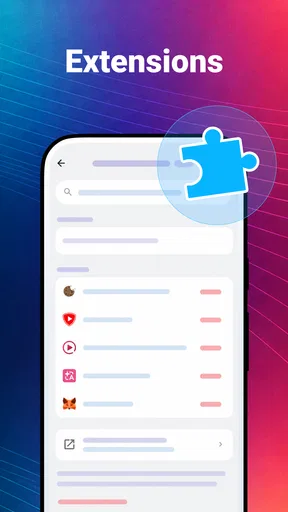
While the Free Adblocker Browser is impressive, it’s not without its quirks. For one, it doesn’t support all extensions that you might find in other browsers. If you rely heavily on specific extensions, this might be a limitation. However, for most users looking for a clean and fast browsing experience, this shouldn’t be a deal-breaker.
Another point is that while the ad-blocking feature is excellent, it occasionally blocks some content that isn’t an ad. It’s not a frequent occurrence, but something to be aware of. Thankfully, there’s an option to whitelist sites, allowing you to see content from your favorite websites without any issues.
Small decisions that make browsing smoother
When a page looks incomplete, I would first check whether the missing element is genuinely needed, then whitelist only that site if necessary. This is more precise than turning off filtering everywhere, and it makes it easier to keep the rest of browsing as uncluttered as before. If the site still fails, opening it in a different browser is a sensible fallback rather than spending time troubleshooting a page I only need once.
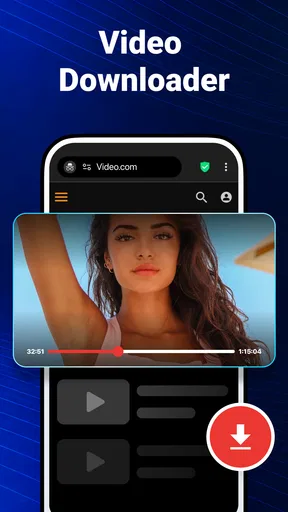
For videos, expectations should stay practical: blocking advertising can make some pages less interruptive, but it does not guarantee that every site’s player will behave the same way. If a video refuses to load, the issue may be the page’s own design or its response to filtering. Switching browsers for that one task can be less frustrating than treating the app as a universal fix.
Cost, audience, and the final choice
Adblock – Rocketshield Browser Technology Limited makes this a communication app for everyday browsing, and its broad audience is reflected in an Everyone age rating. It is free to install, while optional in-app purchases range from about fifty cents to around one hundred and fifteen dollars per item. I would check the purchase screen carefully before confirming anything and decide whether the free experience already covers what I need.
Its 4.6 average from around 995,000 ratings, alongside over 10 million installs, suggests that many people have chosen to try it, but popularity is not a substitute for checking whether its particular balance of simplicity and filtering suits your habits. I would focus on the pages I use and the controls I can see rather than expecting a rating to predict my own results.
Final Thoughts
In a world where ads seem to pop up everywhere, the Free Adblocker Browser: Adblock is a much-needed solution. It offers a seamless browsing experience by blocking intrusive ads and protecting your privacy. The app is easy to use, performs well, and offers some nifty features like data saving and night mode.
If you’re tired of ads ruining your browsing experience, I’d say give this app a shot. It’s free, efficient, and does exactly what it promises. Plus, who doesn’t love a little extra privacy while surfing online? So go ahead, download it, and enjoy a smoother, ad-free internet experience.
My recommendation is most confident for casual readers who want a simpler browser and are comfortable keeping another option for pages that misbehave. If extensions, cross-browser routines, or a strict need to verify every privacy detail come first, compare it with the browser you already trust before switching. For everyone else, trying it on familiar sites is a low-effort way to decide whether its quieter pages are worth making it part of your daily routine.
Verdict
Strengths of FREE ADBLOCKER BROWSER
- Blocks intrusive ads effectively.
- Speeds up page loading times.
- Reduces data usage significantly.
- Enhances privacy with anti-tracking.
- User-friendly interface.
Limitations of FREE ADBLOCKER BROWSER
- Occasional compatibility issues.
- Limited customization options.
- Some sites detect and block access.
- May affect website functionality.
- No built-in VPN feature.
Similar Picks in This Category
View All
Google Messages
Google LLC4.6

Gmail
Google LLC4.1

Google Meet
Google LLC4.4

Google Chrome
Google LLC4.1

WhatsApp Messenger
WhatsApp LLC4.6

Carrier Services
Google LLC4.2
Frequently Asked Questions
What is Free Adblocker Browser:Adblock and how does it work?
Free Adblocker Browser:Adblock is a web browser designed to block all types of ads, including pop-ups, banners, and video ads, enhancing your browsing experience by making it faster and cleaner. It uses advanced filtering techniques to detect and block ads before they load, ensuring users enjoy an uninterrupted browsing experience.
Is Free Adblocker Browser:Adblock safe to use?
Yes, Free Adblocker Browser:Adblock is safe to use. It not only blocks intrusive ads but also protects users from malicious websites and trackers that could compromise your data. It prioritizes user privacy and security, ensuring a safer browsing experience by preventing tracking and collecting minimal user data.
Does Free Adblocker Browser:Adblock work on all websites?
While Free Adblocker Browser:Adblock is highly effective on most websites, there may be some sites where ads still appear, especially those that use sophisticated ad-blocking circumvention techniques. However, the app is constantly updated to handle new ad types and improve its blocking capabilities over time.
Can I customize the ad-blocking settings in Free Adblocker Browser:Adblock?
Yes, users can customize their ad-blocking settings in Free Adblocker Browser:Adblock. The app allows you to whitelist specific websites where you want to see ads or support content creators. Additionally, you can adjust privacy settings and manage filters to tailor the browsing experience to your needs.
Does using Free Adblocker Browser:Adblock affect page loading speed?
Free Adblocker Browser:Adblock typically improves page loading speed by blocking ads, which often consume significant bandwidth and resources. By filtering out these elements, pages load faster, saving both data and time. Users generally experience smoother navigation and quicker access to content.
